MoodWallet: Money Management
Private, no ads, bank-level security • Need help? [email protected]
Playful loops that change how you spend
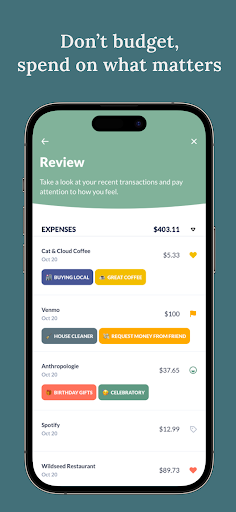
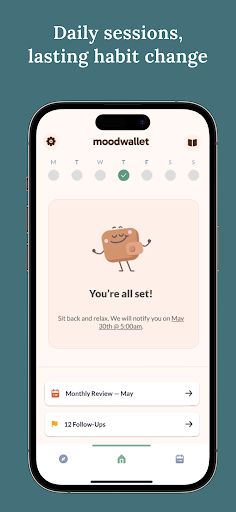
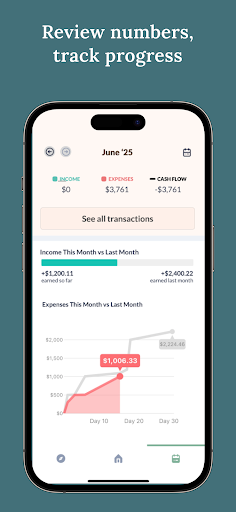
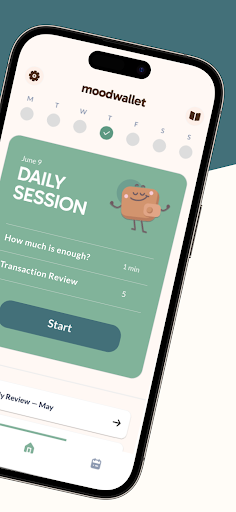
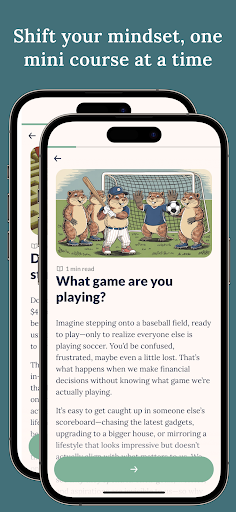
Everyday check-ins are a calm, two-minute ritual that replace frantic budgets. Mini-courses are short levels that teach the psychology behind your choices. Monthly reviews are your slow-motion replays — spot patterns, celebrate small wins, and plan with curiosity rather than guilt.
Why puzzle mechanics?
Small wins, visible progress, and lighthearted feedback lower resistance. MoodWallet uses those same mechanics to make awareness feel rewarding — not punitive.
Try the calm way to money
Two minutes a day. No spreadsheets. More clarity.
Combo Lab — your habit tile board
Tiles are tiny, explorable actions: reflect, tag, celebrate. Combine tiles into streaks and watch your board shimmer. No points necessary — progress is the point.
Streaks, chests and slow wins
Keep gentle streaks, open a chest for consistent reflection, and compare months to see real growth. These are motivators — not punishers — designed to encourage attention and curiosity.
Questions or feedback?
We read every message. Contacting support is quick — drop a note and we’ll reply. ([email protected] • allo.finance)
Screenshots